Wedding QR Code Generator
Create a free Wedding QR Code Generator for your wedding invitation, RSVP form, photo gallery, website or custom wedding details. Generate a QR code in seconds and make it easy for guests to access the information you want to share.
📱 Wedding QR Code Generator
For RSVP and photo QR codes, paste the complete page URL you want your guests to open.
Your Wedding QR Code
Your Wedding QR Code Generator result is ready. Test the QR code with your phone before adding it to invitations, RSVP cards or signage.
Wedding QR Code
Your generated QR code can be downloaded and added to your wedding invitation, RSVP card, photo sign, wedding website or other printed materials.
What Is a Wedding QR Code Generator?
A Wedding QR Code Generator is an online tool that turns a URL or selected information into a scannable QR code for a wedding. Couples can use a Wedding QR Code Generator to connect guests with online invitations, RSVP forms, wedding websites, photo galleries and other wedding details.
Our free Wedding QR Code Generator lets you create a QR code for an invitation, RSVP page, wedding photo gallery or custom wedding information without complicated setup.
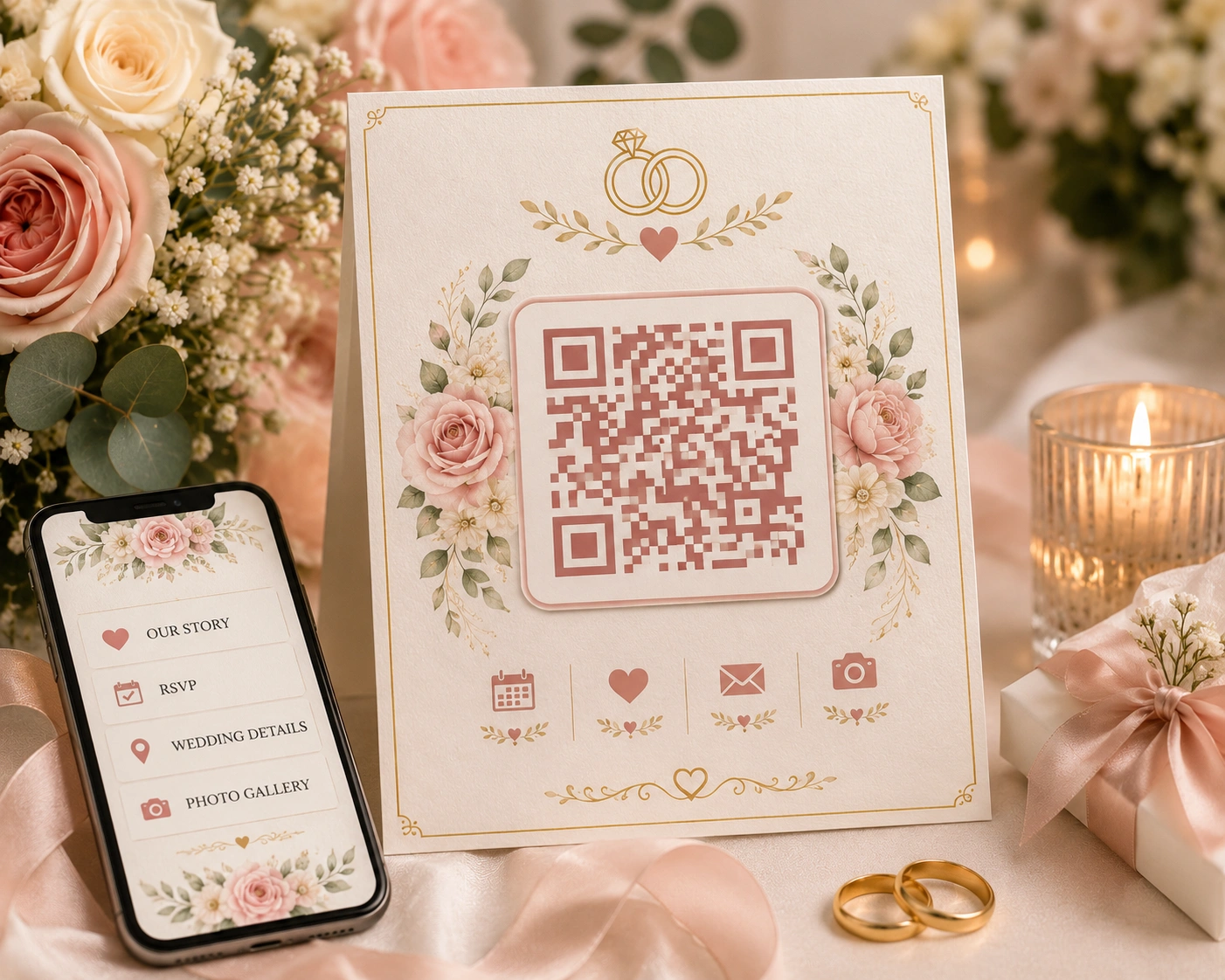
The Wedding QR Code Generator above is designed for couples who want to make online wedding information easier for guests to open with a phone camera.
Wedding Invitation QR Code
A wedding Invitation qr code generator can create a scannable code that you place on a printed invitation or digital invitation. Guests can scan the code to open additional wedding details that may not fit comfortably on the invitation itself.
Wedding Invitation With QR Code
A wedding invitation with qr code can connect a printed invitation to a wedding website, RSVP form, directions, accommodation information or other online details. This can reduce the amount of text that needs to be printed on the invitation.
QR Code for Wedding
A qr code for wedding can be used for different parts of the celebration, including invitations, RSVP forms, wedding websites, photo galleries, schedules and guest information.
QR Code for Wedding Pictures
A qr code for wedding pictures can send guests to an online photo gallery where wedding images are stored and shared. This is useful when couples want guests to see professional photographs or upload their own pictures.
Wedding QR Code for Photos
A wedding qr code for photos can be placed on a reception sign, table card or thank-you material. Guests can scan it with their phones and open the linked gallery or photo-sharing page.
QR Code for Wedding Photos
A qr code for wedding photos can make a long gallery URL easier to access. Instead of typing a long web address, guests can scan the printed QR code and open the photo page directly.
Wedding Photo QR Code
A wedding photo qr code is particularly useful for photo sharing after the ceremony. Couples can link the code to an online gallery, shared album or guest photo collection.
QR Codes for Wedding Pictures
qr codes for wedding pictures can be used on multiple printed materials, such as reception signs, table cards, thank-you cards or photo display cards.
QR Codes for Wedding Photos
qr codes for wedding photos can help guests quickly access different galleries or photo-sharing destinations. If you use more than one QR code, make each label clear so guests know what they are opening.
Wedding Picture QR Code
A wedding picture qr code can connect guests to a dedicated wedding picture gallery. Add a short label next to the code so people understand what it is for before scanning.
Best Wedding QR Code for Photos
The best wedding qr code for photos is one that leads directly to a mobile-friendly gallery and is easy for guests to scan. Keep the QR code large enough for printed use and test it before the wedding.
Wedding RSVP Cards With QR Code
wedding rsvp cards with qr code can give guests a quick way to open an online RSVP form. The QR code can complement the printed RSVP instructions rather than replacing important information entirely.
RSVP QR Code
An rsvp qr code can point directly to your online RSVP form. Guests can scan it from an invitation or RSVP card and submit their attendance details from a phone.
Wedding Invitation With QR Code
A second common use for a wedding invitation with qr code is sending guests to information such as venue directions, hotel details, dress code, schedule updates or the couple’s wedding website.
How to Use a Wedding QR Code
- Choose what information guests should access.
- Create the relevant online page or URL.
- Paste the URL into the Wedding QR Code Generator.
- Generate the QR code.
- Scan it with a phone to test it.
- Download the QR code.
- Add it to the invitation, RSVP card or wedding sign.
Where Can You Put a Wedding QR Code?
- Wedding invitations
- RSVP cards
- Reception signs
- Table cards
- Wedding welcome signs
- Photo-sharing cards
- Wedding websites
- Thank-you cards
Wedding QR Code Ideas
A Wedding QR Code Generator can support several useful wedding ideas. You can create a code for an RSVP form, wedding website, photo gallery, digital invitation, directions, schedule, gift registry or other online information.
QR Code for RSVP
Link guests directly to an online RSVP form so they can respond from their phone.
QR Code for Wedding Photos
Send guests to a gallery or shared photo collection where they can view and contribute pictures.
QR Code for Wedding Details
Use a QR code to connect printed materials with directions, schedules, accommodation information and other details.
QR Code for Wedding Website
A wedding website QR code can give guests one convenient entry point to your online wedding information.
How to Make a Wedding QR Code Easy to Scan
Keep sufficient space around the QR code, use strong contrast and avoid making the printed code unnecessarily small. Always test a downloaded version using more than one phone before printing a large batch of invitations or cards.
Wedding QR Code Best Practices
- Use a short, reliable destination URL.
- Test the QR code before printing.
- Keep strong contrast between the code and background.
- Leave clear space around the QR code.
- Label the QR code so guests know what it does.
- Make sure the destination page works well on mobile devices.
- Keep the QR code large enough for the final printed material.
Wedding QR Code for Invitations and RSVPs
Using a Wedding QR Code Generator for invitations and RSVPs can make it easier to connect a physical invitation with online information. A printed card can contain the key wedding details while the QR code provides access to additional information.
Wedding QR Code for Photos and Pictures
A Wedding QR Code Generator can also be used to share wedding photos and pictures after the celebration. Add your gallery URL, generate the code and place it on a sign or card where guests can see it.
Wedding QR Code Generator for Guest Sharing
The Wedding QR Code Generator can provide a simple bridge between printed wedding materials and online guest resources. Whether you need a photo gallery, RSVP page or wedding website, the code can help guests access the destination quickly.
Learn More About QR Codes
For general information about how QR codes work, see the Wikipedia QR Code guide .
For additional wedding planning inspiration, you can also explore The Knot .
Frequently Asked Questions About Wedding QR Codes
What is a Wedding QR Code Generator?
A Wedding QR Code Generator converts a URL or selected information into a QR code that guests can scan with a phone.
Can I use a QR code on a wedding invitation?
Yes. A wedding invitation can include a QR code that sends guests to an RSVP form, wedding website, directions, schedule or additional wedding information.
Can I create an RSVP QR code?
Yes. Paste your RSVP form URL into the Wedding QR Code Generator and create a QR code that guests can scan to open the form.
Can I use a QR code for wedding photos?
Yes. You can use the Wedding QR Code Generator to create a QR code that links directly to a wedding photo gallery or online picture collection.
What is the best wedding QR code for photos?
A good wedding photo QR code should link directly to a mobile-friendly gallery, remain easy to scan after printing and include enough space around the code for reliable scanning.
Can I download the generated wedding QR code?
Yes. Generate your code above and use the Download QR Code button to save the QR code as an image for your wedding materials.
Should I test a wedding QR code before printing?
Yes. Always scan the final QR code with a phone before printing a large number of invitations, RSVP cards or signs.
Where can I place a wedding QR code?
You can place a QR code on invitations, RSVP cards, welcome signs, table cards, photo-sharing cards, wedding websites and thank-you materials.
Create Your Wedding QR Code
Use the Wedding QR Code Generator above to create a QR code for your wedding invitation, RSVP page, photo gallery or other wedding information. Test the code before using it in your final printed design.