Wedding RSVP Generator | Free RSVP Invitation Online
Use our free Wedding RSVP Generator to create a clear wedding RSVP response online. Choose whether you are attending, add guest details, select a meal option, include a plus-one response and create a personal RSVP message you can copy or print.
💌 Wedding RSVP Generator
Leave the message empty to let the Wedding RSVP Generator create one for you.
Your Wedding RSVP Response
What Is a Wedding RSVP Generator?
A Wedding RSVP Generator is an online tool that helps guests create a clear response to a wedding invitation. A Wedding RSVP Generator can organize attendance, guest-count, meal and plus-one details into an easy-to-share RSVP message.
Our free Wedding RSVP Generator lets you select whether you are attending, enter your guest information, choose a meal preference, add a plus-one and write a personal message for the couple.
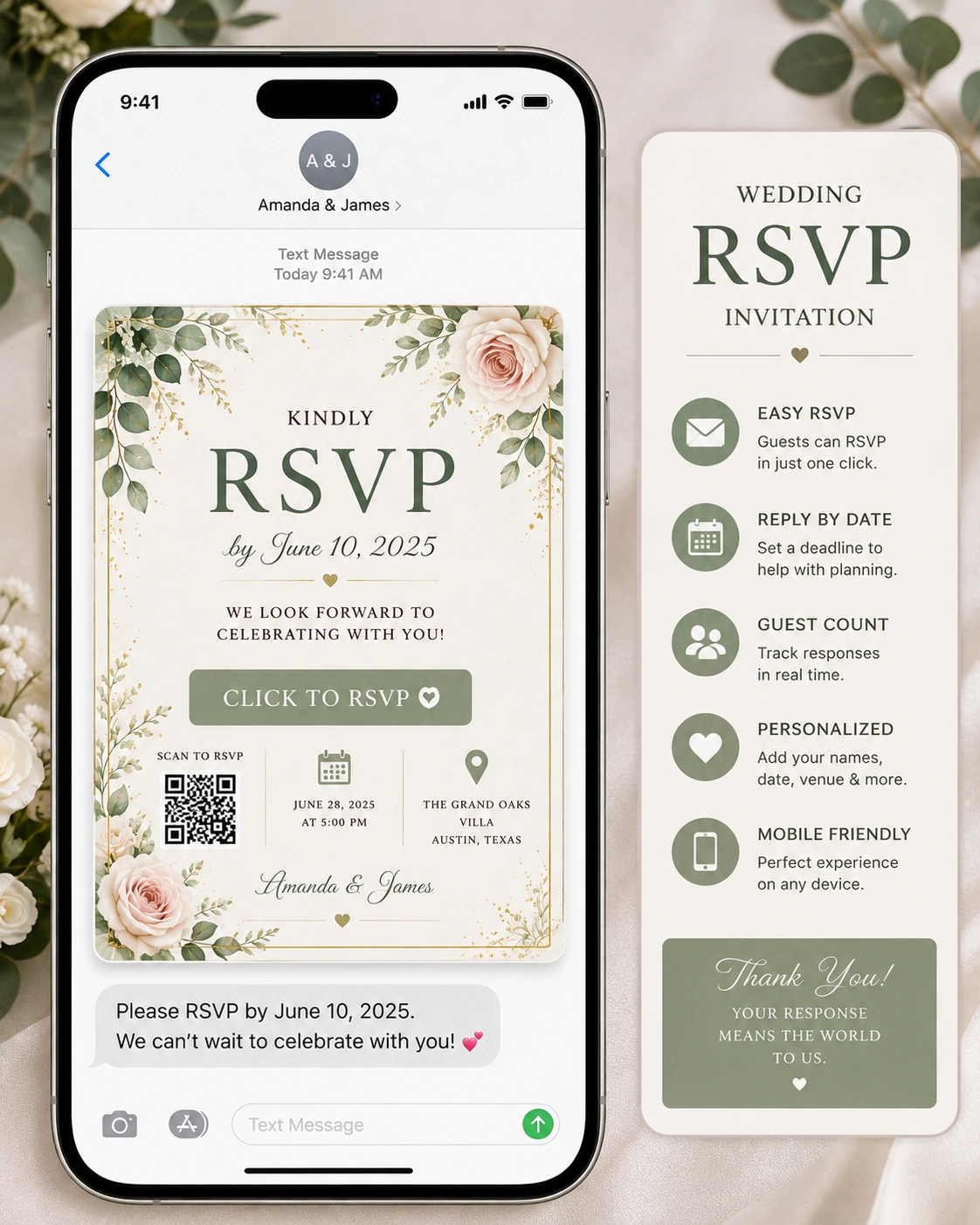
The Wedding RSVP Generator above is designed for guests who want a simple way to prepare and organize their wedding RSVP details before sending them to the couple.
Free RSVP Invitation Online
A free rsvp invitation online tool can make it easier for guests to prepare a response when a couple requests digital RSVP information. You can record your attendance, guest count, dietary preference and any optional message in one place.
Wedding RSVP
A wedding rsvp is a response to a wedding invitation that tells the couple whether a guest plans to attend. Depending on the invitation, guests may also be asked to provide the number of attendees, meal preferences and other information.
What Does RSVP Mean on an Invitation?
If you are searching for the meaning of rvsp in invitation, the intended abbreviation is usually RSVP. It comes from the French phrase “Répondez s’il vous plaît,” which means “please respond.”
The phrase rsvp in invitation means that the invited guest is being asked to tell the host whether they will attend the event.
RSVP Invitation Full Form
The rsvp invitation full form is the French phrase “Répondez s’il vous plaît.” On a wedding invitation, RSVP is simply a request for the guest to respond.
How to RSVP
Knowing how to rsvp is usually simple. Follow the method provided by the couple, which may be an RSVP card, online form, wedding website, email, phone number or another response system.
- Check the RSVP instructions on the invitation.
- Choose your attendance response.
- Enter the number of guests requested.
- Provide meal or dietary information when requested.
- Add a plus-one response if the invitation allows one.
- Submit your RSVP before the stated deadline.
How to RSVP on an Invitation
If you are wondering how to rsvp on invitation, look for the response instructions printed on the card or provided through the wedding website. Some invitations ask you to complete an online form, while others provide a reply card or contact information.
Funny RSVP Wedding Responses
funny rsvp wedding responses can add personality when the couple has a casual celebration and enjoys humor. Keep the joke friendly and make sure the actual attendance information is still completely clear.
Funny RSVP Wedding Responses — Attending
- “Absolutely! Save us a seat and possibly a piece of cake.”
- “We are coming, and we are ready to celebrate!”
- “Yes! We would not miss this for the world.”
- “Count us in for love, laughter and dancing.”
Funny Wedding RSVP Replies
funny wedding rsvp replies can work well for close friends and family. A playful response is fine, but keep the essential RSVP information unmistakable.
Funny Wedding RSVP Replies — Cannot Attend
- “Sadly, we cannot make it, but we will be celebrating you from afar.”
- “Our calendars have betrayed us, but our hearts will be there.”
- “We are sorry to miss the big day and wish you an amazing celebration.”
Wedding RSVP Guest Details
A complete RSVP may include more information than simply “yes” or “no.” Couples may request the guest’s name, number of attendees, meal selection, dietary restrictions and plus-one information.
Wedding Guest List Template
A wedding guest list template can help couples organize RSVP responses after guests start replying. Useful columns may include guest name, attendance, number of guests, meal choice, plus-one status, contact information and notes.
Useful Wedding Guest List Columns
- Guest name
- Household or group
- Attending or not attending
- Number of guests
- Plus-one
- Meal preference
- Dietary requirements
- RSVP date
- Contact details
- Notes
When Should You RSVP to a Wedding?
You should normally respond by the date specified on the wedding invitation. Sending your response on time helps the couple finalize catering, seating arrangements, guest numbers and other wedding plans.
Why Wedding RSVPs Matter
Wedding RSVPs help couples estimate how many people will attend. Accurate responses can affect catering, seating, venue arrangements, rentals, transportation and other planning decisions.
Common Wedding RSVP Mistakes
- Missing the RSVP deadline.
- Not following the requested RSVP method.
- Adding a guest who was not invited.
- Failing to mention dietary requirements.
- Changing attendance without informing the couple.
- Leaving the number of attendees unclear.
How to Respond to a Wedding Invitation
To respond to a wedding invitation, follow the exact instructions provided by the couple. If the invitation uses an online RSVP form, open the form and submit your attendance. If it asks for a reply card, return the card by the stated deadline.
Wedding RSVP Etiquette
Good wedding RSVP etiquette means responding promptly, providing accurate information and respecting the invitation details. If your plans change after submitting your response, let the couple know as soon as possible.
RSVP for Couples and Guests
For guests, an RSVP is a simple way to communicate attendance. For couples, the collected responses become an important planning resource. Organizing these responses early can make seating, catering and guest coordination easier.
Wedding RSVP Resources
For additional wedding planning and guest-management ideas, you can explore The Knot .
For general wedding etiquette and invitation guidance, you can also visit Brides .
Frequently Asked Questions About Wedding RSVPs
What is a Wedding RSVP Generator?
A Wedding RSVP Generator helps guests create a clear wedding response containing attendance, guest count, meal preference, plus-one information and a personal message.
What does RSVP mean on an invitation?
RSVP means “Répondez s’il vous plaît,” a French phrase meaning “please respond.” On a wedding invitation, it asks the invited guest to confirm whether they will attend.
How do I RSVP to a wedding?
Follow the RSVP instructions on the invitation, provide your attendance response and complete any requested details such as guest count or meal preference before the stated deadline.
Can I RSVP online?
Yes. Many couples use online RSVP forms or wedding websites so guests can submit their response digitally.
Can I bring a plus-one to a wedding?
Only bring a plus-one when the invitation or couple clearly indicates that a plus-one is included.
What are funny wedding RSVP replies?
Funny wedding RSVP replies are playful responses that still clearly tell the couple whether you are attending and provide any requested guest details.
What should a wedding guest list template include?
A useful wedding guest list template can include guest name, attendance, number of guests, plus-one status, meal preference, RSVP date, contact information and notes.
When should I RSVP to a wedding?
Respond by the deadline shown on the wedding invitation. Timely replies help the couple finalize catering, seating and other guest arrangements.
Create Your Wedding RSVP
Use the Wedding RSVP Generator above to prepare your response, check the details carefully and send the final RSVP using the method requested by the couple.