Wedding Invitation Generator | Create Beautiful Wedding Invitations
Create a personalized invitation with our free Wedding Invitation Generator. Add the couple’s names, wedding date, venue, message, RSVP details and preferred style to create a beautiful wedding invitation you can copy, print or personalize further.
💌 Wedding Invitation Generator
Leave this empty to let the Wedding Invitation Generator create the message automatically.
Your Personalized Wedding Invitation
Review your invitation below. You can regenerate it, copy the wording or print the invitation draft.
What Is a Wedding Invitation Generator?
A Wedding Invitation Generator is an online tool that helps couples create personalized wedding invitation wording based on their names, wedding details, style and preferred tone. A Wedding Invitation Generator can be useful when you know the important details but are not sure how to arrange them into a polished invitation.
Our free Wedding Invitation Generator lets you add names, date, time, venue, location, RSVP information and a personal message. You can then create a wedding invitation draft that is easy to edit, copy or print.
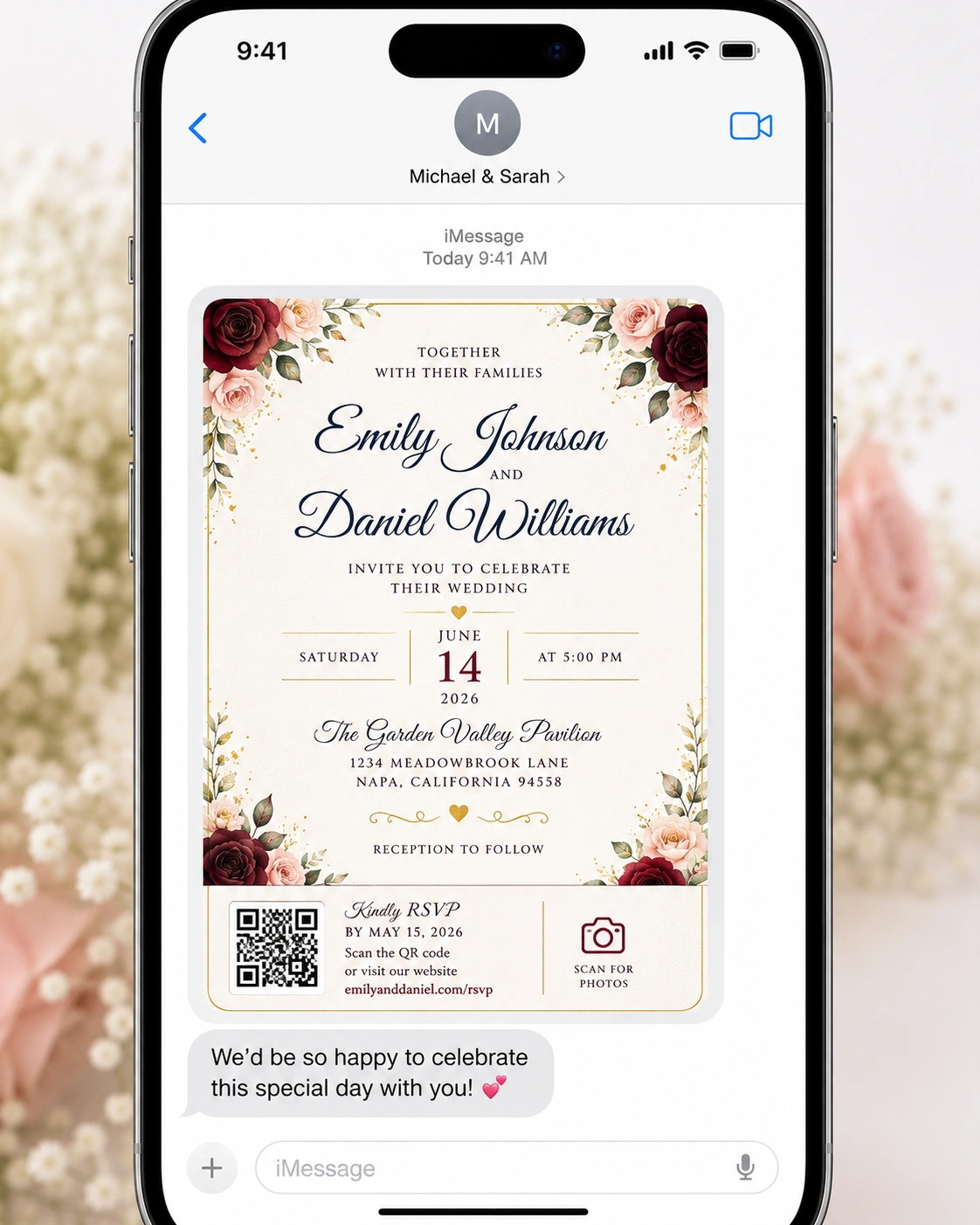
The Wedding Invitation Generator above is designed to give you a practical starting point for formal, romantic, modern, classic, floral, Islamic or playful wedding invitations.
Invitations Wedding Invite Ideas
When searching for invitations wedding invite ideas, start by deciding which details your guests actually need. A useful invitation normally makes the couple, date, time, venue and important RSVP information easy to find.
Best Wedding Invitation Message
The best wedding invitation Message is usually clear, warm and appropriate for the couple’s personality. It should communicate the essential event details while creating an inviting feeling for the guest.
Wedding Invitation Wording
wedding invitation wording can range from formal and traditional to simple, modern and personal. The wording should match the tone of your celebration and the audience receiving the invitation.
Formal Wedding Invitation Wording
Formal wording can use traditional phrases, a respectful tone and a structured presentation of the wedding details.
Modern Wedding Invitation Wording
Modern wording can be shorter, more conversational and focused on the couple while still providing all essential event information.
Romantic Wedding Invitation Wording
Romantic wording can highlight love, togetherness and the joy of beginning a new chapter while keeping the practical details easy to read.
Wedding Invitation Examples
wedding invitation examples can help you understand different structures before writing your own. You can use examples for inspiration, but your final invitation should reflect your actual wedding details and personal style.
Best Wedding Invitation Ideas
The best wedding invitation ideas combine attractive design with clear information. Think about your color palette, typography, wording, paper style, RSVP method and whether you will also share an online version.
- Match the invitation to your wedding color palette.
- Choose readable typography.
- Keep the important details easy to find.
- Use wording that matches the formality of the event.
- Include RSVP instructions clearly.
- Proofread names, dates and locations before printing.
Online Wedding Invitations
online wedding invitations can be useful when couples want a fast, flexible way to share wedding details. Digital invitations can also be updated more easily when information changes.
An online invitation may include links to your wedding website, RSVP form, directions, accommodation details and other useful resources.
When to Send Wedding Invitations
If you are wondering when to send wedding invitations, the ideal timing can depend on your location, guest list and whether the wedding involves significant travel. Many couples send invitations well before the wedding so guests have enough time to respond and make plans.
Destination weddings and celebrations involving international travel may require earlier communication. Always consider your guests’ travel and planning needs when deciding your invitation schedule.
Inviting Wedding Invitations
The phrase inviting wedding invitations describes the feeling you want the wording and design to create: welcoming, clear and personal. Your invitation should make guests feel that they are genuinely wanted at the celebration.
Bezos Wedding Invitation Inspiration
Searches for a bezos wedding invitation can reflect interest in high-profile wedding invitation styles, luxurious design and elegant presentation. For your own wedding, you can take inspiration from luxury aesthetics while keeping the wording personal and appropriate for your celebration.
What Should Be Included in a Wedding Invitation?
- Couple’s names
- Wedding date
- Wedding time
- Ceremony or reception venue
- City or location
- RSVP information
- Dress code when relevant
- Website or additional guest information when needed
Wedding Invitation Message Ideas
Traditional Invitation
With joyful hearts, we invite you to celebrate the marriage of [Bride] and [Groom] as they begin their life together.
Romantic Invitation
Two hearts, one beautiful journey and a lifetime of memories ahead. Please join us as [Bride] and [Groom] celebrate their wedding day.
Modern Invitation
We are getting married! Please join [Bride] and [Groom] for a special celebration filled with love, laughter and wonderful memories.
Wedding Invitation Etiquette
Wedding invitation etiquette can vary by family, culture, religion and the formality of the event. Make sure the wording is respectful and that the most important guest information is easy to understand.
How to Create an Effective Wedding Invitation
- Start with the couple’s names.
- State the wedding date and time clearly.
- Add the venue and location.
- Choose wording that fits your wedding style.
- Add RSVP instructions.
- Include additional information where necessary.
- Proofread everything before printing or sending.
Printed vs. Online Wedding Invitations
Printed invitations can provide a traditional keepsake, while online wedding invitations offer convenience and flexibility. Some couples use both: a printed invitation for the main announcement and a digital page for detailed RSVP and guest information.
Wedding Invitation Resources
For additional wedding invitation and planning ideas, you can explore The Knot .
For additional wedding inspiration and invitation ideas, you can also visit Brides .
Frequently Asked Questions About Wedding Invitations
What is a Wedding Invitation Generator?
A Wedding Invitation Generator is an online tool that helps create personalized invitation wording using the couple’s names, wedding details, style and tone.
What should the best wedding invitation message include?
A strong wedding invitation message should clearly communicate the couple’s names, date, time, venue and RSVP details while matching the tone of the celebration.
What is good wedding invitation wording?
Good wedding invitation wording is clear, appropriate for the event and personal to the couple. It can be formal, romantic, modern or traditional depending on the celebration.
When should wedding invitations be sent?
The right timing depends on the wedding and guest travel needs. Couples should allow enough time for guests to receive the invitation, respond and make any necessary travel arrangements.
Can I use online wedding invitations?
Yes. online wedding invitations can be a convenient way to share wedding details and provide links to RSVP forms and other guest resources.
Can I customize the generated invitation?
Yes. The generated invitation is a starting point. You can edit the wording, names, details and personal message before sending or printing it.
Can I create a formal wedding invitation?
Yes. Select the formal tone and elegant or classic style to create a more traditional invitation draft.
Can I create an Islamic wedding invitation?
Yes. Select the Islamic style and add your preferred religious wording or personal message in the custom message field.
Create Your Wedding Invitation
Use the Wedding Invitation Generator above to create your first invitation draft. Check every name, date, time, venue and RSVP detail carefully before using the final version.